What is Drive?
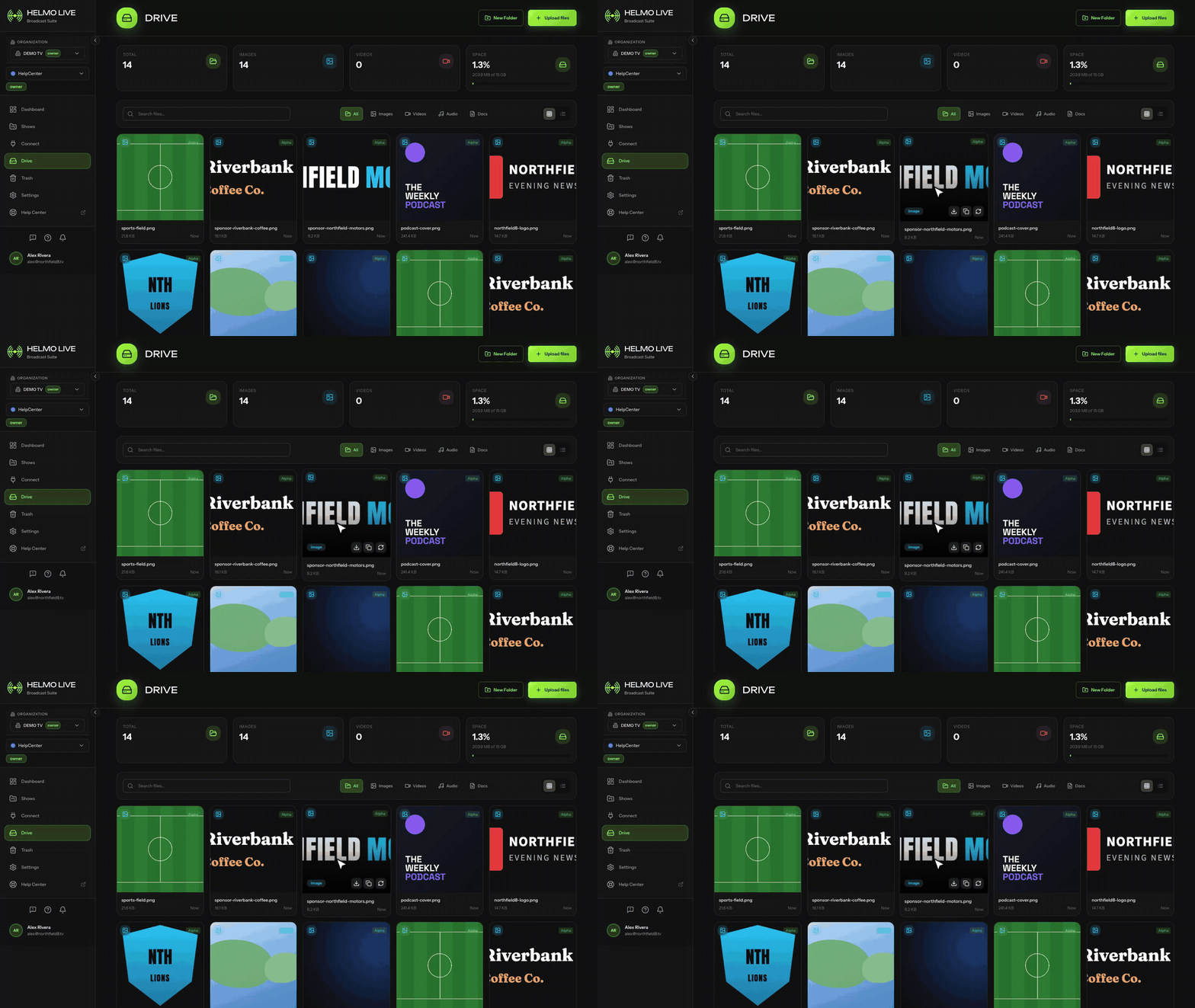
Drive is the asset management module where you store and organize the images, videos, audio clips and fonts used in your broadcasts.
ConceptBeginnerUpdated
Drive is the asset management module where you store and organize all media files used in your broadcasts: images, videos, audio clips, and fonts.
What it does
Drive provides a centralized library for your production assets. Upload files once, then use them across Helmo Rundown (as element resources) and Helmo Control (as live references).
Key features
- Multi-file upload: Upload several files at once with drag-and-drop.
- Organized library: Folders, tags, favorites, and search to find assets quickly.
- Grid view: Visual thumbnails with adjustable sizes (S/M/L).
- Preview: Click any asset to preview images and play videos/audio.
- Soft delete: Deleted files go to trash and can be recovered.
- Custom domain: Assets are served through a dedicated assets domain, routed via a Cloudflare proxy.
Supported file types
| Type | Formats | Max Size |
|---|---|---|
| Images | JPG, PNG, GIF, WebP, SVG | 10 MB |
| Videos | MP4, WebM, MOV | 500 MB |
| Audio | MP3, WAV, OGG, M4A | 50 MB |
| Fonts | TTF, OTF, WOFF, WOFF2 | 5 MB |
Storage by plan
Watch out
Drive storage limits depend on your subscription plan. Free: 1 GB, Lite: 2 GB, Pro: 5 GB, Studio: 10 GB, Enterprise: 15 GB. Upgrade your plan if you need more storage.
Where to find it
Go to Asset Library from the main sidebar.