What are Action Sequences?
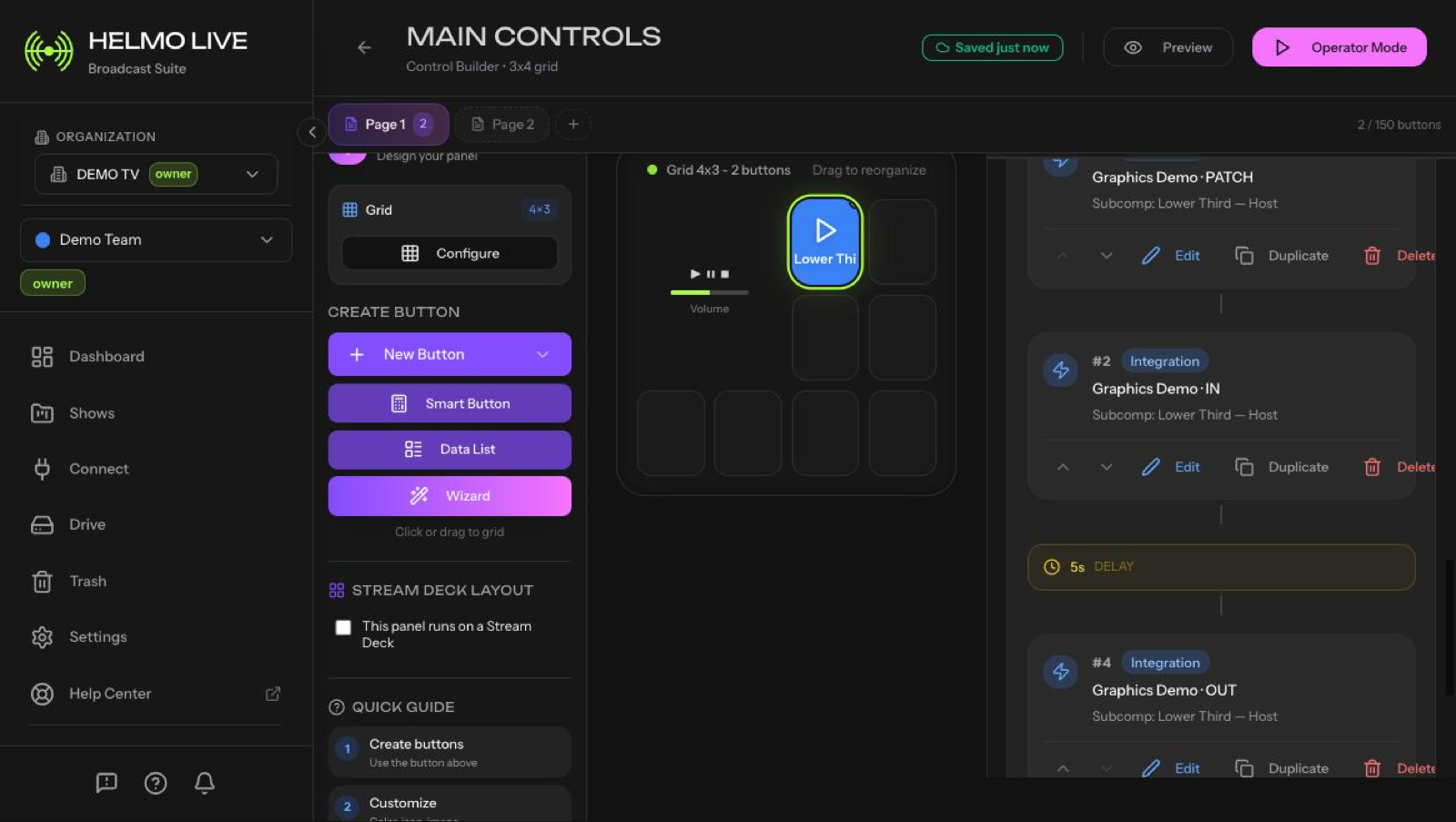
Action Sequences are automated multi-step workflows (IN, PATCH, WAIT, OUT) triggered by a single button press.
Action Sequences are Helmo Live's key differentiator: automated multi-step workflows triggered by a single button press.
The problem
During a live broadcast, showing a lower third typically requires:
- Update the name and title text
- Bring the overlay IN
- Wait 5 seconds
- Take the overlay OUT
Doing this manually every time is slow and error-prone.
The solution
An Action Sequence does all of those steps automatically from one button press:
| Step | Type | Action |
|---|---|---|
| 1 | PATCH | Set name to "John Smith", title to "Reporter" |
| 2 | IN | Bring the lower third on screen |
| 3 | WAIT | Pause 5 seconds |
| 4 | OUT | Take the lower third off screen |
One button press. The entire sequence runs.
Step types
- IN: trigger a graphic or integration overlay on screen
- OUT: remove a graphic or integration overlay from screen
- PATCH: update a text field or property on a live graphic
- WAIT: pause for a set duration before the next step
Cross-integration sequences
A single sequence can span multiple systems. For example: show a Helmo Graphics lower third, then switch an OBS scene, then trigger a vMix overlay, all in one button press.
Dynamic inputs
Sequences can have input fields that the operator fills in before running. For example, the name and title fields: the operator types new values each time, and the sequence uses them.
No other cloud broadcast graphics platform offers Action Sequences. This is what sets Helmo Live apart: build once, execute perfectly every time.