Adding a Progress Bar
Visualize polls, timers, fundraising goals and vote shares with a Progress Bar element.
TutorialIntermediateUpdated
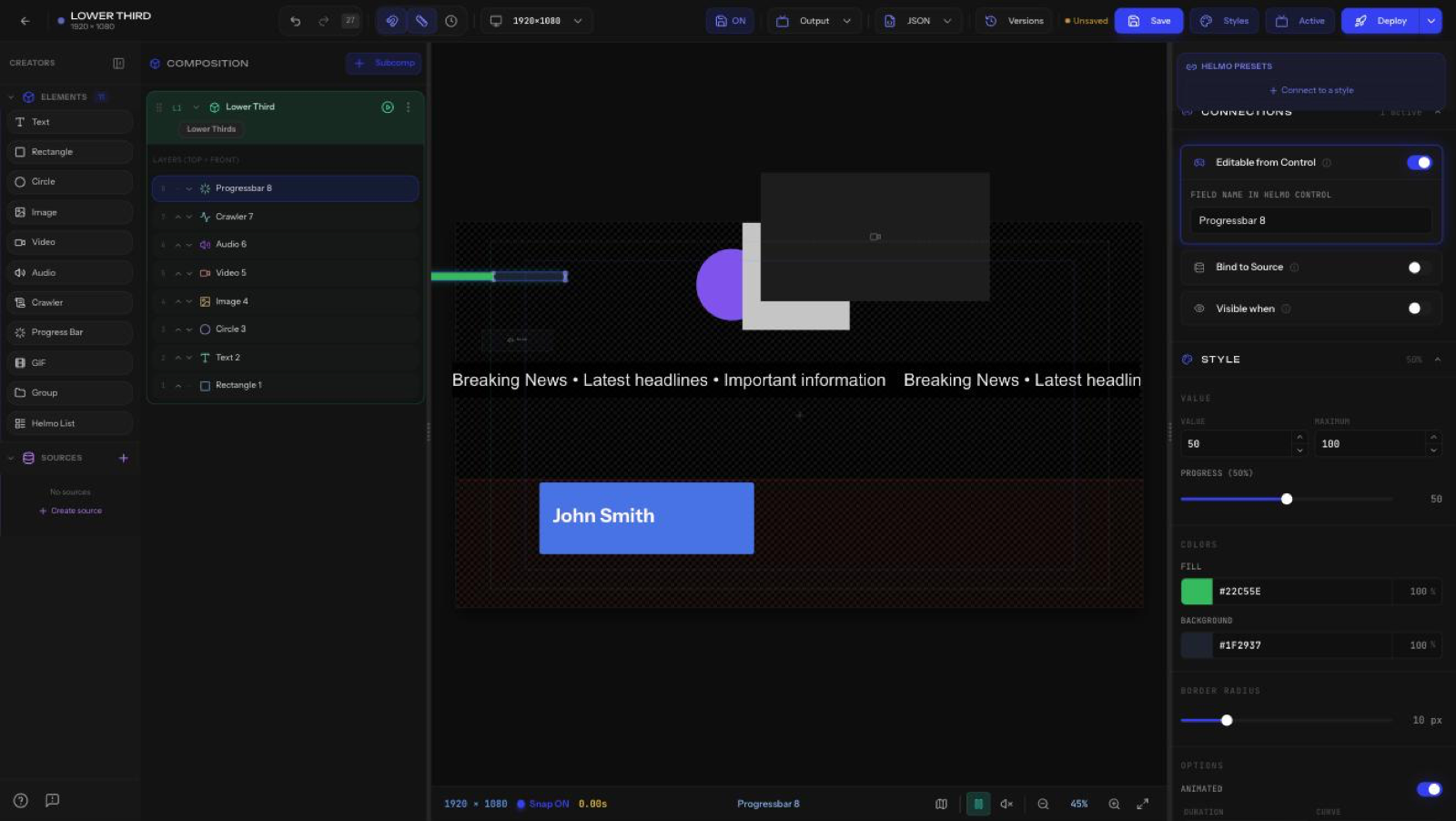
Progress Bars visualize a value: polls, timers, fundraising goals, vote shares. Drag Progress Bar from the Elements panel onto the canvas.
Value
- Value and Maximum: the bar fills to Value / Maximum.
- Progress: shows the resulting percentage.
Colors
- Fill color and Background color (each with opacity).
- Border Radius: round the ends.
Options
- Animated: animate value changes, with Duration and Curve (for example, Ease).
- Striped: striped fill.
- Gradient: gradient fill.
- Show Value: print the number on the bar.
Tip
Bind Value to a Helmo Source or make it Editable from Control so the bar moves live during the show.