Resizing and positioning elements
Drag, resize and align elements on the canvas, lock aspect ratio, and control layering and rotation with exact values.
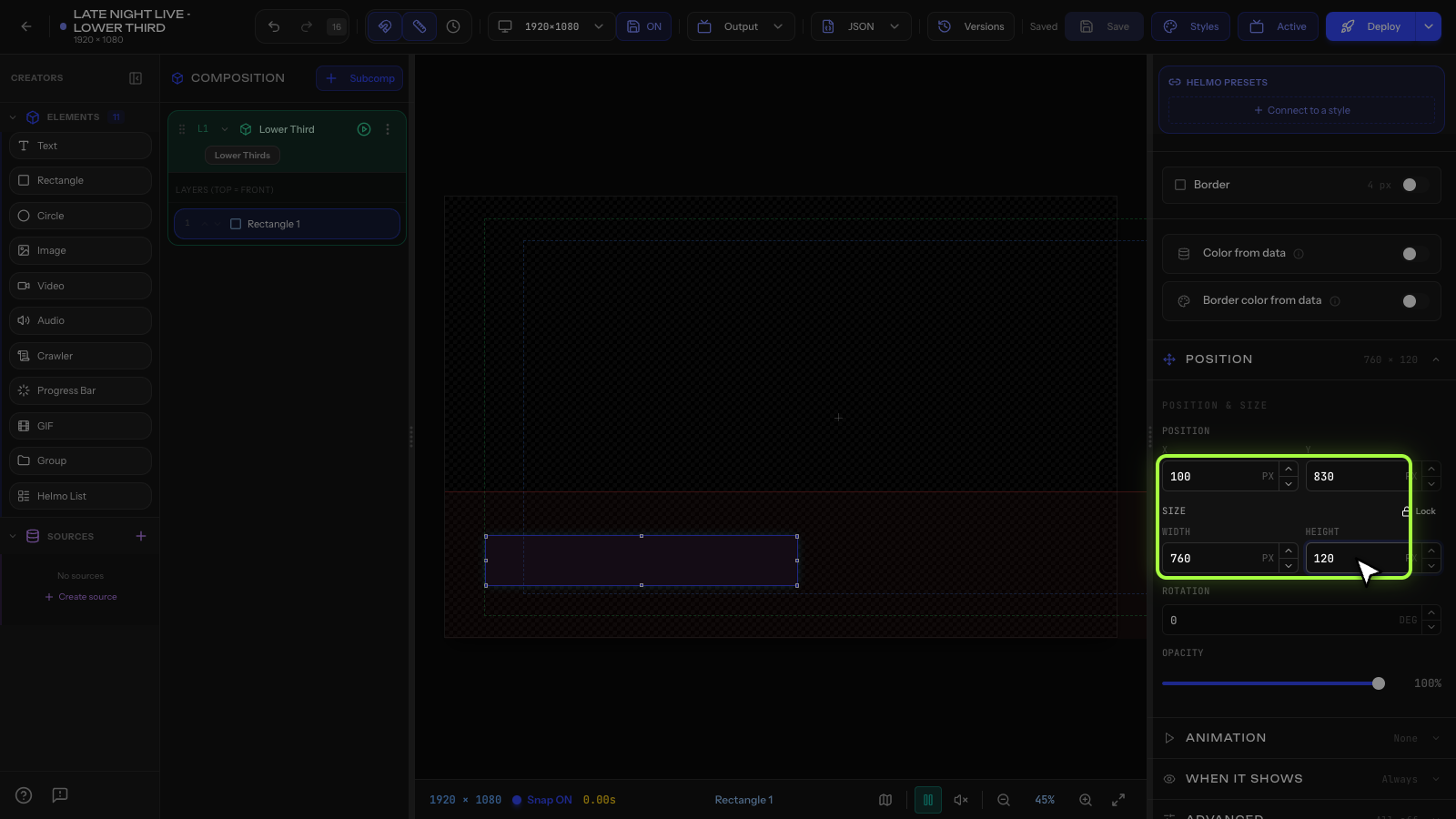
Every element has a position (X, Y) and size (Width, Height) that you can control visually or with exact values.
Moving elements
- Drag an element on the canvas to move it.
- Or type exact X and Y values in the Inspector.
- X=0, Y=0 is the top-left corner of the canvas.
Resizing
- Drag any of the 8 resize handles around the element.
- Hold Shift while dragging to lock aspect ratio.
- Or type exact Width and Height in the Inspector.
Aspect-ratio lock (Width% / Height%)
The Inspector has a proportion padlock next to the Width% and Height% fields:
- Locked: changing Width% or Height% scales the element uniformly, keeping its original proportions (no distortion). Great for logos and photos.
- Unlocked: Width% and Height% move independently, so you can stretch or squash the element to any shape.
Use the percentage fields to scale relative to the element's base size, and toggle the padlock depending on whether you want proportional scaling or a free stretch.
Canvas size
The canvas is 1920×1080 pixels. Position your elements accordingly:
- Center of screen: X=960, Y=540
- Bottom for lower thirds: Y around 800-900
- Top-left corner bug: X=50, Y=50
Z-index (layering)
Elements can overlap. The z-index controls which element appears on top. Higher z-index = on top. You can also reorder elements in the Composition Tree: elements lower in the list appear in front.
Rotation
Set the Rotation value in degrees in the Inspector (0-360).
Tips
- Use the Inspector for pixel-perfect positioning.
- The Safe Area guides help you keep important content visible on all screens.