What is Helmo Graphics?
Overview of the Helmo Graphics visual editor and the broadcast overlays you can create with it.
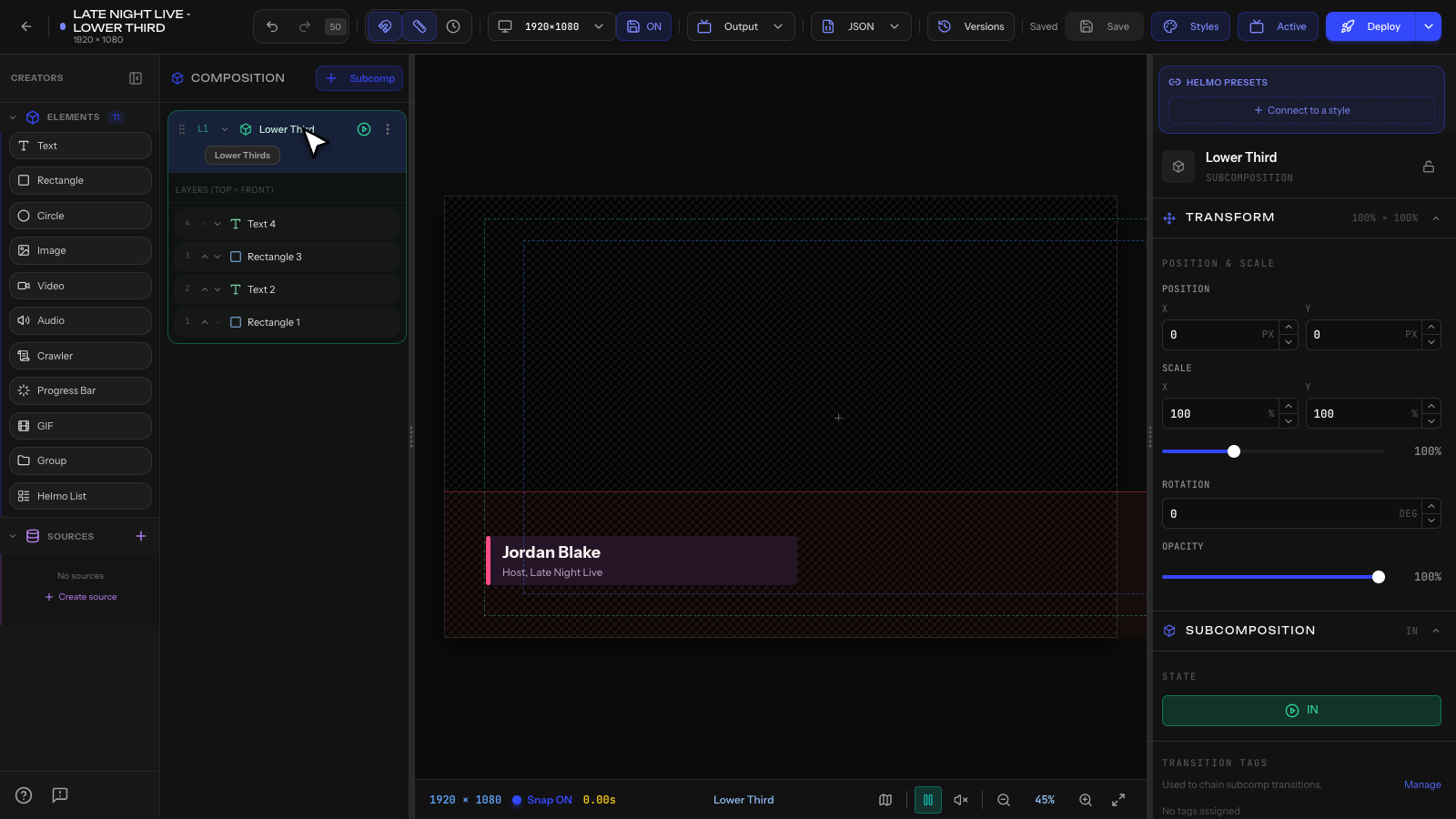
Helmo Graphics is Helmo Live's visual editor for creating professional broadcast overlays: lower thirds, tickers, scoreboards, full-screen graphics, and more.
Everything you design is HTML5, which means it works as a browser source in OBS, vMix, or any software that supports web overlays.
What can you create?
- Lower thirds: name tags, titles, speaker info
- Tickers: scrolling text for news, scores, updates
- Scoreboards: live scores with team logos
- Full-screen graphics: bumpers, standings, replays
- Bugs: corner logos, clocks, watermarks
- Custom overlays: anything you can imagine
How it works
- Design your graphic in the visual editor using text, shapes, images, and video.
- Animate elements with IN/OUT presets (52 animations available).
- Deploy to get an output URL.
- Add the URL to OBS or vMix as a browser source.
- Control your overlays live from Helmo Control.
Key concepts
Composition: your main graphic canvas (1920×1080).
Subcomposition: an overlay within your graphic. Each subcomposition can be brought IN or OUT independently. Think of them as layers you control during a live show.
Element: individual objects such as text, rectangle, circle, image, video, audio, crawler, progress bar, GIF, group, or Helmo List.
What makes it different?
Helmo Graphics gives you full visual control with a drag-and-drop editor, real-time data binding (clocks, counters, Google Sheets, APIs), and no per-overlay pricing: create as many overlays as your plan allows.