Helmo Sources: bind live data to your graphics
Bind clocks, counters, JSON feeds and Google Sheets to elements so your graphics update themselves.
TutorialIntermediateUpdated
Helmo Sources let your graphics show live, automatically-updating data: a clock, a counter, values from a Google Sheet, or any JSON API. Instead of typing a value by hand, you bind an element to a source, and the element updates whenever the source changes.
Where to find them
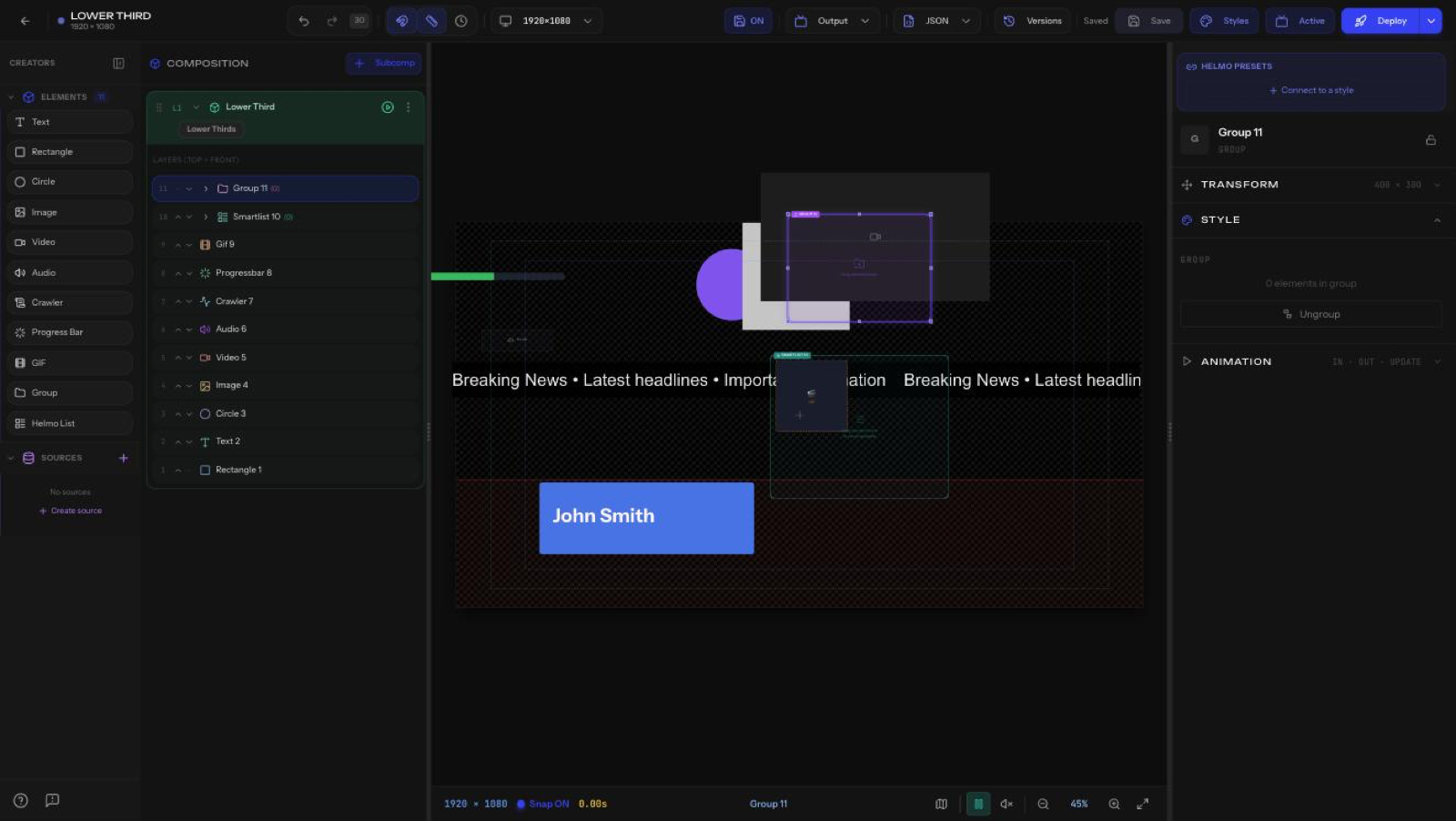
Helmo Sources live in the SOURCES panel, on the left side of the editor, just below the Elements list. Click + Create source (or the + next to SOURCES) to add one.
The 6 source types
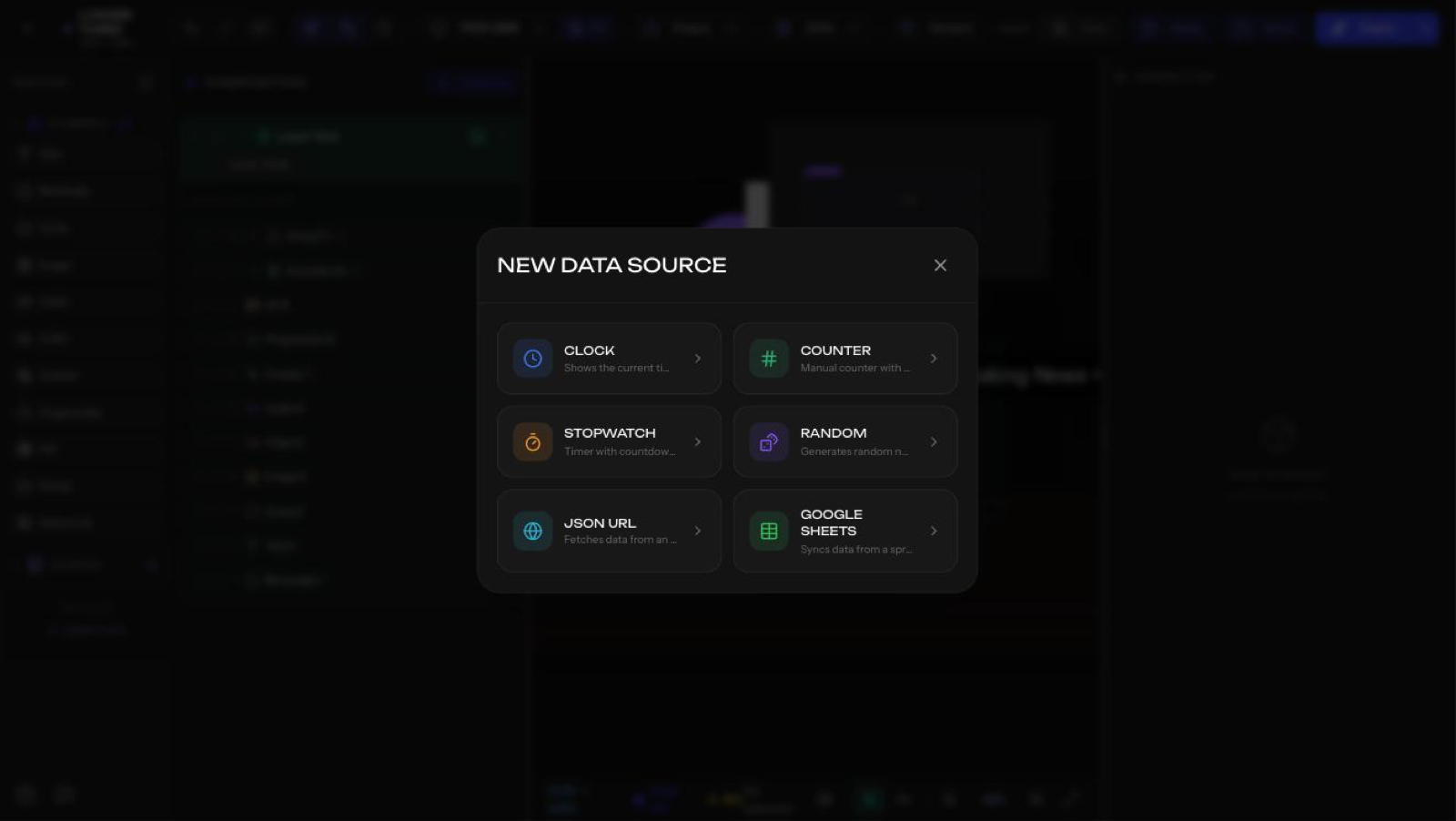
- Clock (Reloj): shows the current time, auto-updating.
- Counter (Contador): a manual counter you can increment/decrement (for example, from Helmo Control).
- Stopwatch / Timer (Cronómetro): a countdown or count-up timer.
- Random (Aleatorio): generates random numbers.
- JSON URL: pulls data from any JSON endpoint.
- Google Sheets: syncs data from a spreadsheet, one row per record.
Binding an element to a source
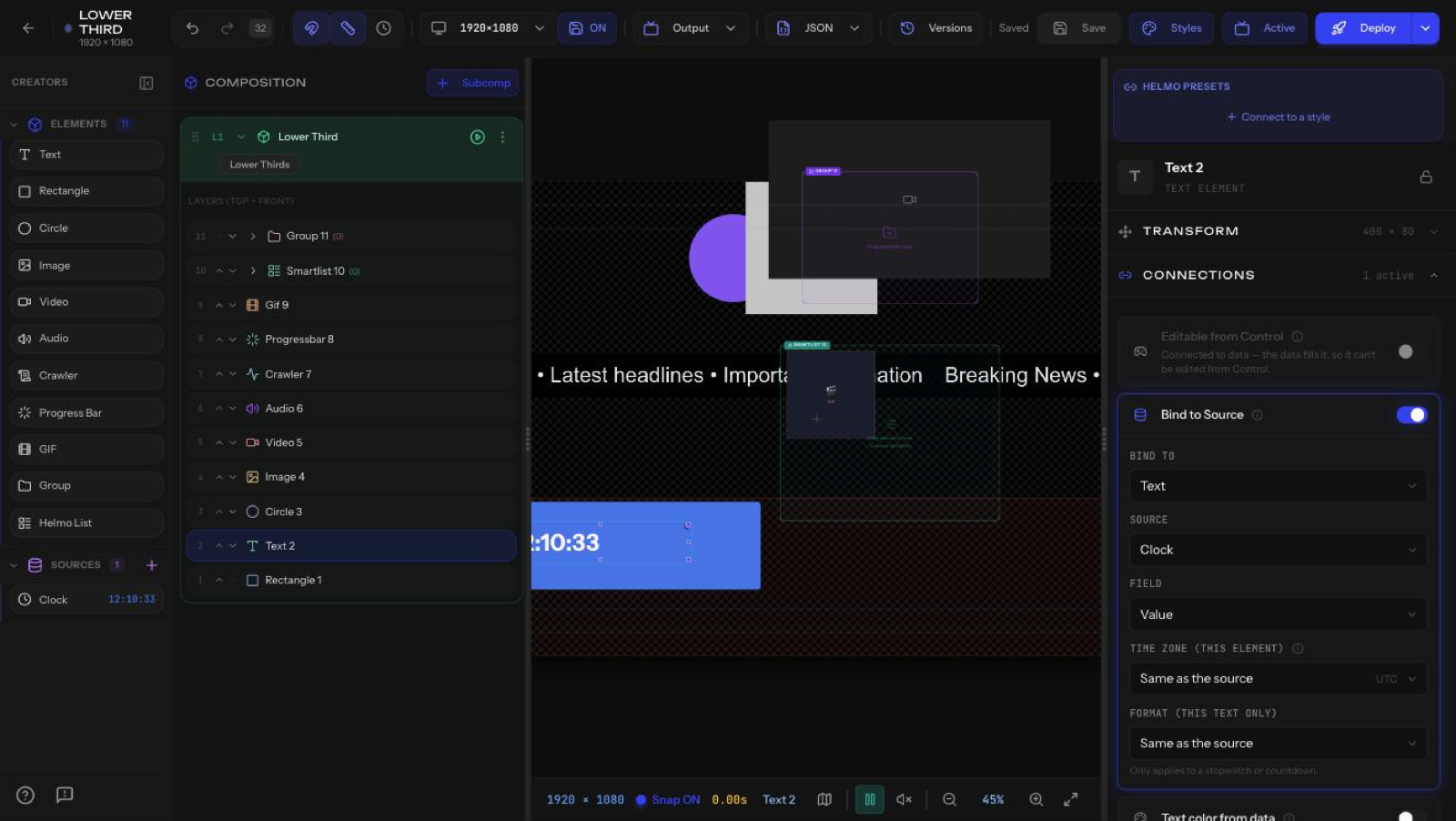
Once you have a source, connect it to an element:
- Select the element on the canvas.
- In the Inspector, open the data/connection section for that element type: - Crawler > Data Source > enable Bind ticker text to a source column. - Helmo List > Source > Select document to pick a connected Google Sheet. - Text / other > use the Connections section.
- Choose the source (and column, where applicable). The element now updates live.
Tip
No Google Sheets connected yet? You create and manage sheet connections right from the Helmo Sources panel.