Understanding the composition hierarchy
How Compositions, Subcompositions, Groups and Elements fit together, and why one subcomposition per overlay matters.
Every graphic in Helmo Live follows a hierarchy. Understanding it is key to building effective overlays.
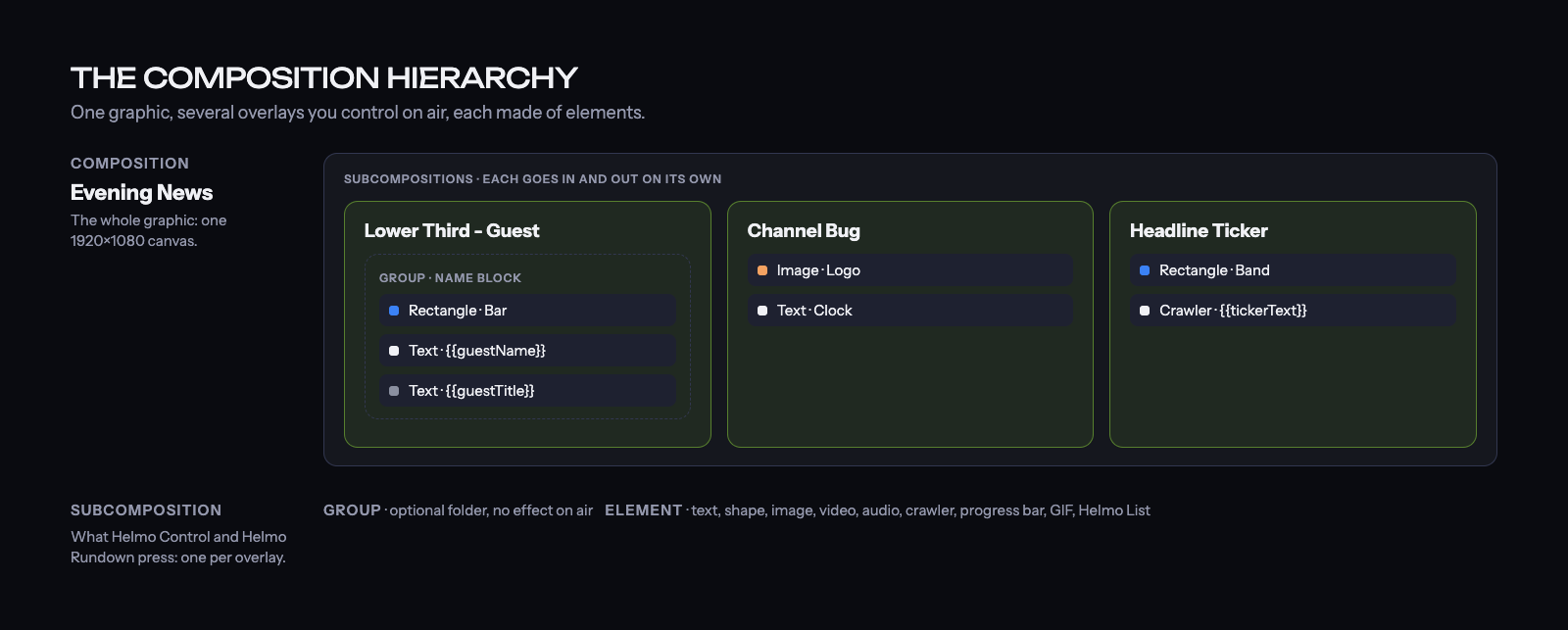
The hierarchy
Composition (your graphic)
└─ Subcomposition (an overlay you can control)
   └─ Group (optional folder to organize)
      └─ Element (text, image, shape, etc.)
Composition
The top-level container. It represents your entire graphic canvas at 1920×1080 resolution. You have one composition per graphic.
Subcomposition
The most important concept. A subcomposition is an overlay: the unit you control during a live show. Each subcomposition can be independently brought IN (visible) or OUT (hidden).
For example, a single graphic might have:
- "Lower Third" subcomposition
- "Score Bug" subcomposition
- "Ticker" subcomposition
Each one appears and disappears independently.
Group
An optional folder to organize elements. Groups don't affect how overlays work; they just keep your tree tidy. You can nest groups inside groups.
Element
The actual visible objects on your canvas:
- Text: labels, names, titles
- Rectangle / Circle: backgrounds, bars, badges, shapes
- Image: logos, photos
- Video: background loops, clips
- Audio: sound effects, stingers
- Crawler: scrolling ticker text
- Progress Bar: visualize a value
- GIF: looping animated graphics
- Group: a folder of elements
- Helmo List: data-driven list
Why does this matter?
When you control a graphic from Helmo Control or Helmo Rundown, you're controlling subcompositions, not individual elements. So structure your graphic with one subcomposition per overlay you want to bring in and out.